Side by side. Keep the layout.
Drag a tab onto the page to see two side by side, or three or four. Save the layout as a Desk and bring it back with ⌥1.
Trip planning · ⌥1
Tern is a Mac browser with an agent in every Space. Ask for what you need; it opens the pages, compares them, and checks with you before it acts.
A trip, your work and your reading each get a Space, with their own tabs, sign-ins and agent.
Tabs, accounts and the agent change with the Space. Nothing leaks between them.
Its agent carries on while you are somewhere else, and tells you when it's done.


The agent reads the pages you have open, and opens more when it needs to.
Two day trips, how to get there, how long they take. One clear answer.
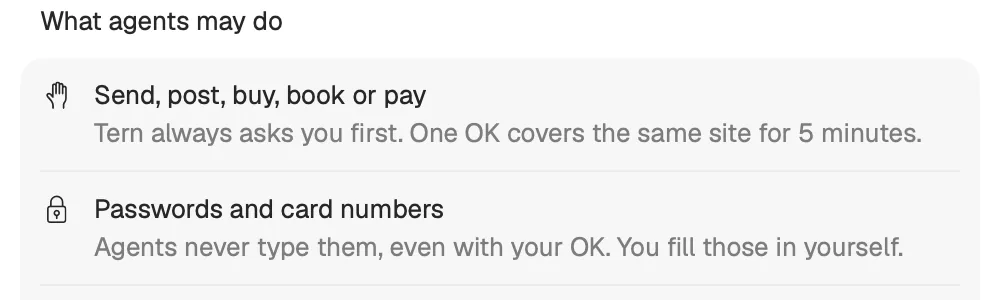
Sending, buying, booking: the agent asks first. Passwords and card numbers it never types.

Six of them, and every one is a real part of Tern.
Drag a tab onto the page to see two side by side, or three or four. Save the layout as a Desk and bring it back with ⌥1.
Pinned tabs and folders sit at the top of each Space. Close one and it sleeps in its place.
Pinned
Type a few words in the command bar. Your history answers, straight from your Mac.
Make Tern your default browser, and links from Mail or Slack open in the Space you choose.
From: Ana · Launch review
Notes are in the review doc. Can you look before Thursday?
Known trackers and ad servers can't load, in every Space. If a site misbehaves, turn it off for that site from the shield.
Its own colour and icon, and when nothing is open, its own scene.
History
Kept on your Mac, and searchable from the command bar.
Sign-ins
Kept apart for every Space. Deleting a Space deletes them.
The agent
Sends the pages it reads to Anthropic, only when you ask.
Trackers and ads
Blocked in every Space. The list comes with Tern, so pages are checked on your Mac.
Crash reports
Off until you turn them on. No pages, addresses or anything you typed.
Analytics
None. No account, no ads, no tracking.
Choose which Claude answers, Space by Space, with your own key.
Claude Opus.
Claude Sonnet.
Claude Haiku.
Your Spaces, pinned tabs and folders come across in one step, or the open tabs from Safari, Chrome, Brave and Edge. Passwords stay in your Keychain.
Bring your browser with you
Version 0.3.0 for macOS 26 · Signed and notarized by Apple · Release notes


